Switch from spreadsheets or another portal without losing anything
Bring students, past placement records and recruiters across in an afternoon. Columns are matched automatically, values are translated, and nothing is saved until you have seen the dry run.
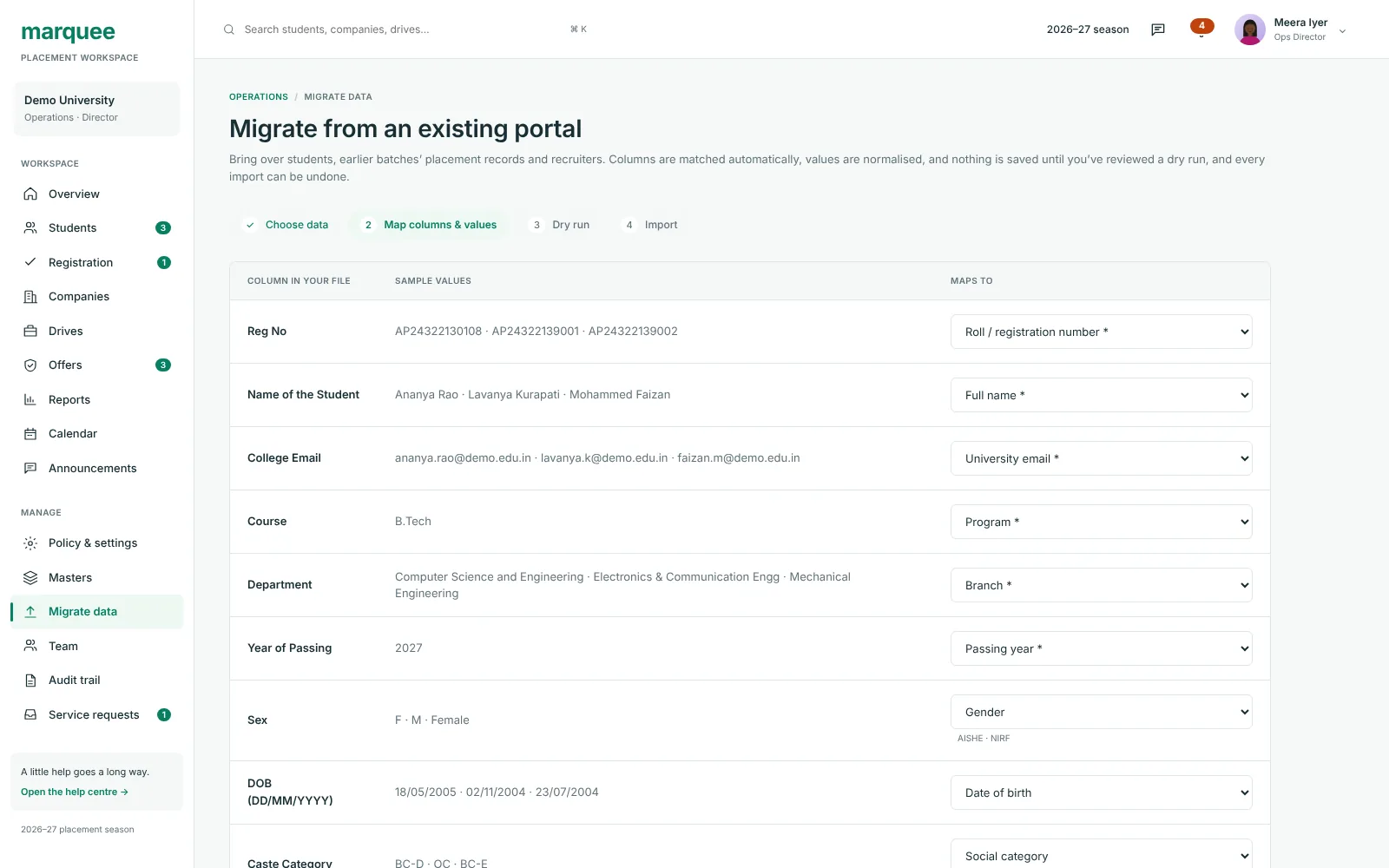
Four steps, fully reversible
1 · Upload
Excel or CSV export from any system: students, past placements or companies.
2 · Map
Columns matched by name and synonyms; you can change any match or keep a column as an extra field.
3 · Dry run
See every row that would be added, updated or rejected, with reasons and a reporting-coverage meter.
4 · Import & undo
Import, then undo the whole run from history if anything looks wrong.
Three years of outcomes, from day one
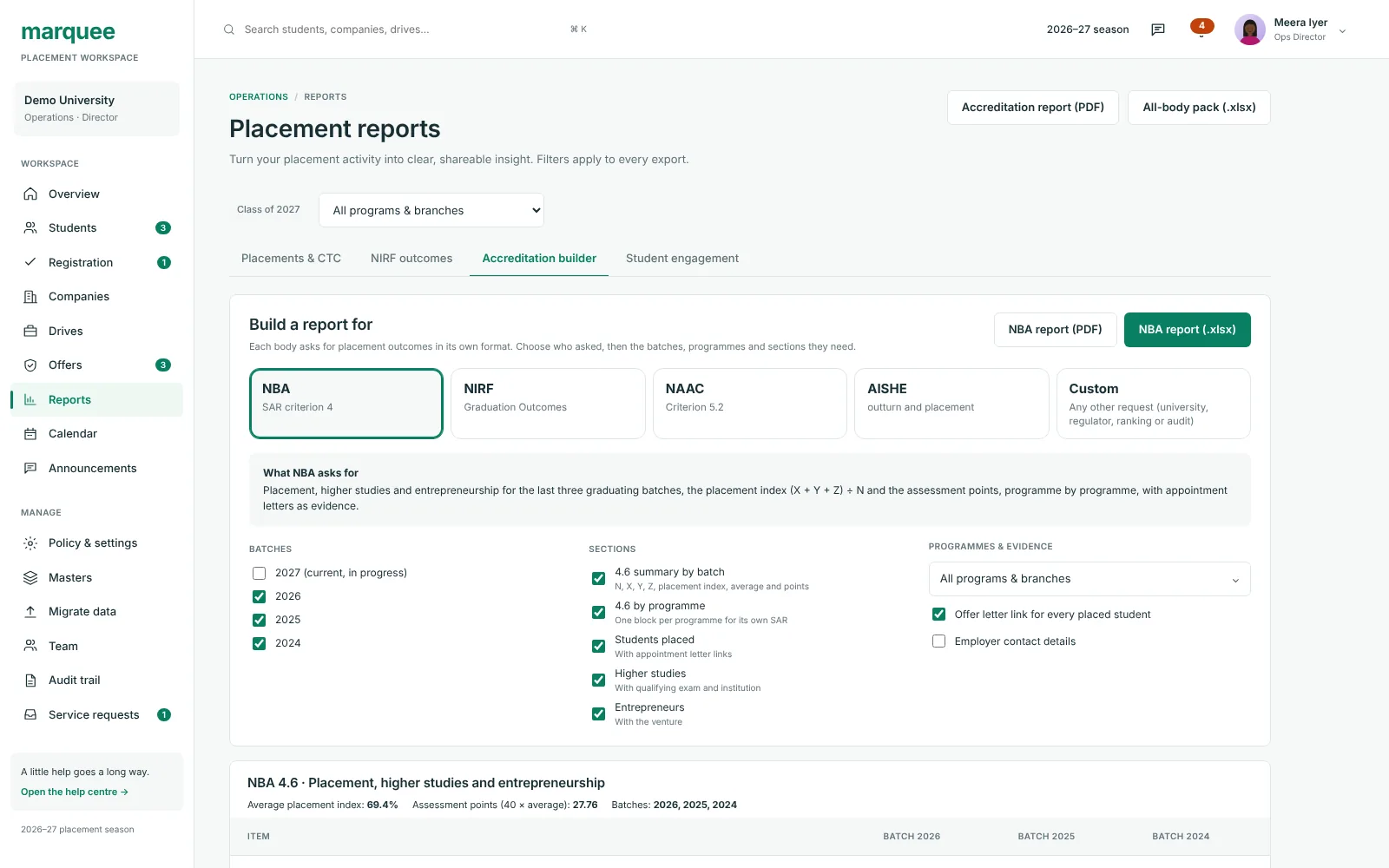
Import past batches and NIRF’s three-year view and NAAC’s five-year tables are ready immediately, no need to wait for a full season on the new system.
- Values like “M”, “Yes”, “7.8/10” or “₹6,50,000” normalised
- Category, PwD, domicile and admission fields kept
- Branch names matched to your programs master
- Unmapped columns preserved on each record
Data migration: common questions
Can we import past batches for NIRF?
Yes. Import past placement records so the three-year NIRF view and multi-year NAAC tables are complete from day one.
What if our columns are named differently?
Columns are matched automatically, and you can adjust the mapping before a dry run shows exactly what will change.
See your next placement season in Marquee
A 30-minute walkthrough with your placement data model, your policy and your reports, and a pilot plan you can take to your leadership.