Run the whole placement season from one workspace
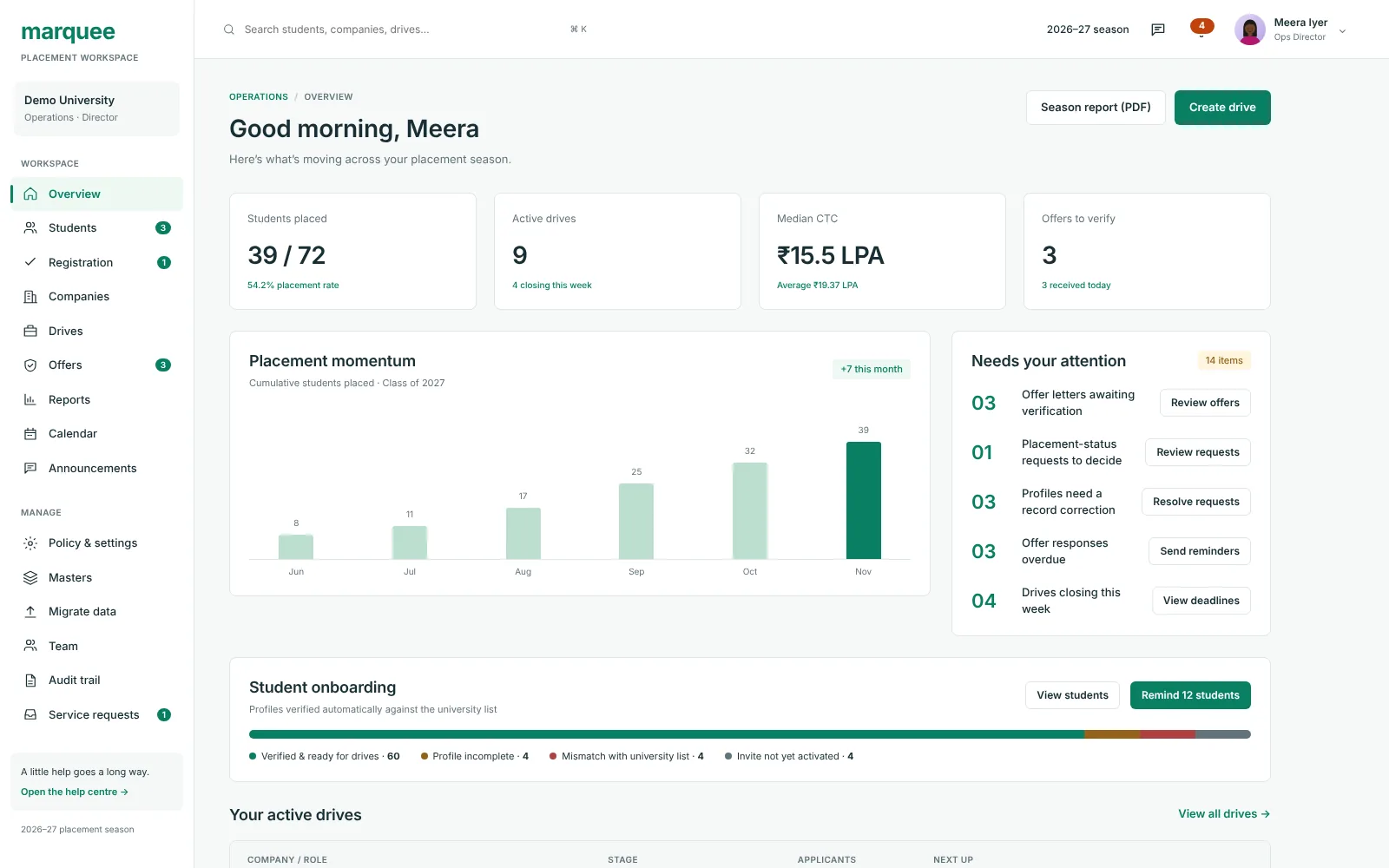
Stop re-typing eligibility lists and chasing resumes. Marquee gives the placement cell one place for students, drives, rounds, offers and reports, with an attention queue that tells you what needs you today.
Hours back every week
Verified student data
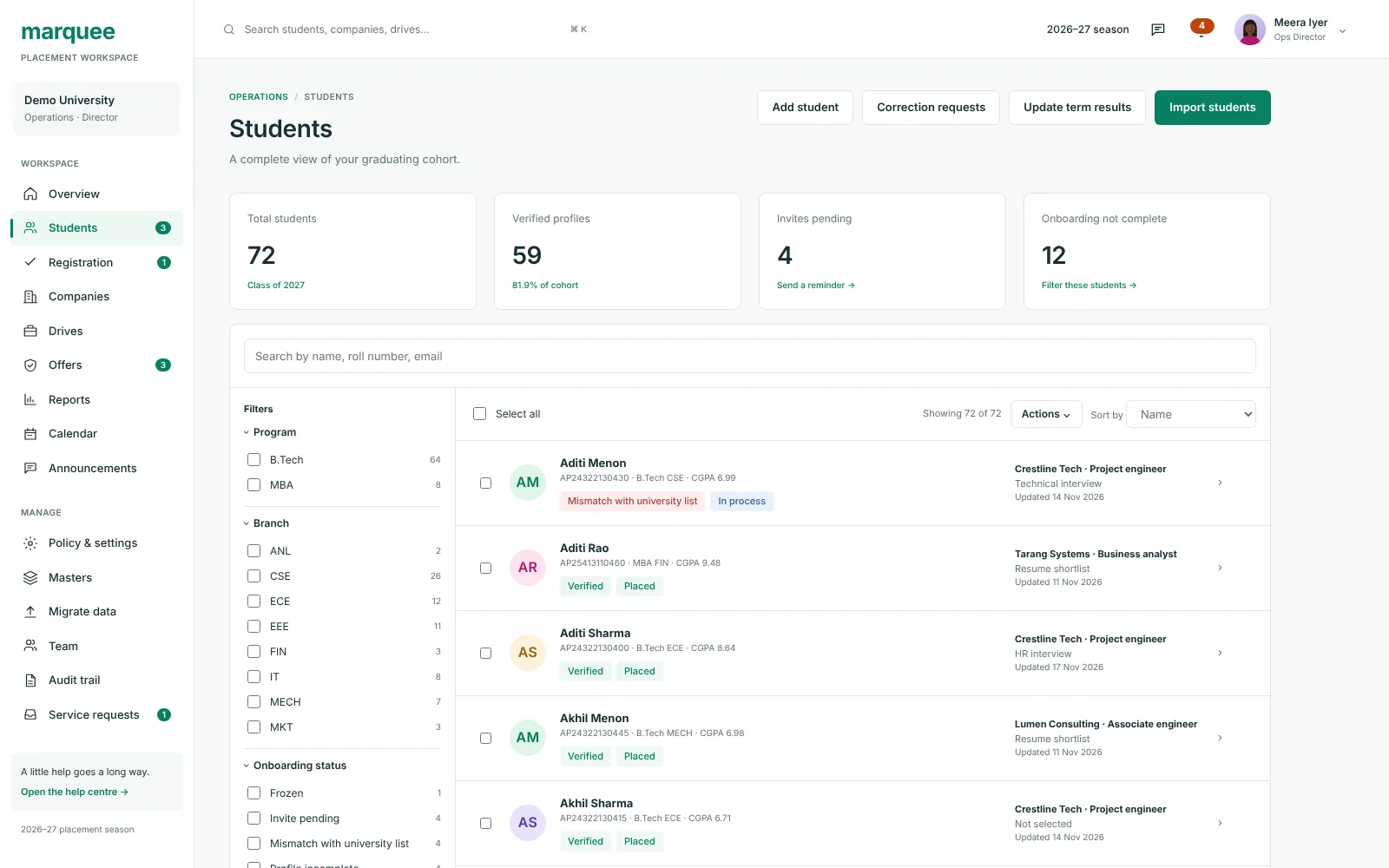
Import six columns from the university list; students verify their own records and upload marksheets. Corrections come with evidence.
Drives in minutes
JD to drive with roles, eligibility and stages. Remove or duplicate roles in one click; nothing is lost if you close the tab.
Rules applied for you
Your placement policy is checked on every application, and explained to students.
Rounds in bulk
Record results and attendance for a whole round at once.
Offers verified
Verify letters, collect OTP-confirmed responses and track joining.
Reports on demand
Season, NIRF and NAAC reports in one click: PDF for leadership, Excel for the IQAC.
An attention queue instead of an inbox
The overview shows what is waiting: rounds without results, PPT attendance to mark, overdue offer responses and joining updates. Students get to-dos too, so fewer of them call the office.
- Faceted student search by program, branch, placement and resume status
- Announcements by program or branch with in-app, email and push
- Drive rooms for each company created automatically
- Every action recorded in the audit trail
Questions from placement cells & tpos
How long does it take to set up a college?
Programs and branches, the placement policy and the first student import can be done in a day. Most of the time goes into agreeing the policy, not configuring it.
Can executives and the Director have different permissions?
Yes. Policy activation, team management, approvals and migration are Director-only; executives run drives, rounds and offers.
Do students need training?
Rarely. They see eligibility, deadlines and to-dos in plain language, and the help centre answers common questions with a link to the right screen.
Can student coordinators help run drives?
The Director decides who joins the placement team and what each person can do; every action is recorded in the audit trail.
How do we share applicant lists with recruiters?
Export applicants with the columns each recruiter asks for, using saved templates per company.
See your next placement season in Marquee
A 30-minute walkthrough with your placement data model, your policy and your reports, and a pilot plan you can take to your leadership.