From JD to published drive in minutes, not days
Read the JD, review every field, add or remove roles with one click, set eligibility per role and publish. Eligible students are notified instantly.
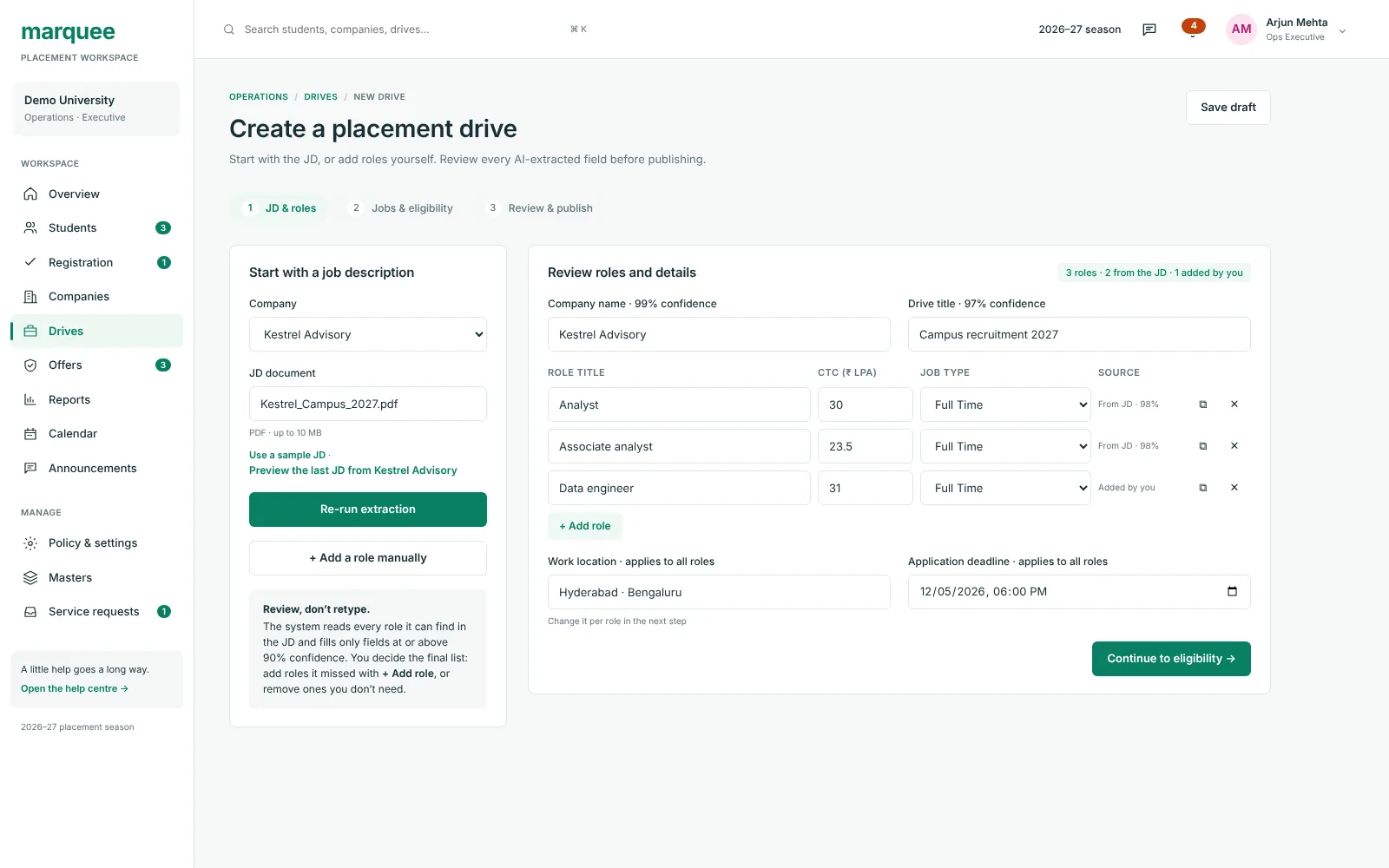
You decide the final list of roles
Roles are read from the JD, and you stay in control. Add a role the system missed, duplicate a similar one, or remove one with ✕. Undo is one click away. Unfinished drives are saved automatically.
- ✕ next to every role, with Undo
- Duplicate role for near-identical openings
- Per-role title, CTC, job type, location and deadline
- A dot marks any role with missing fields
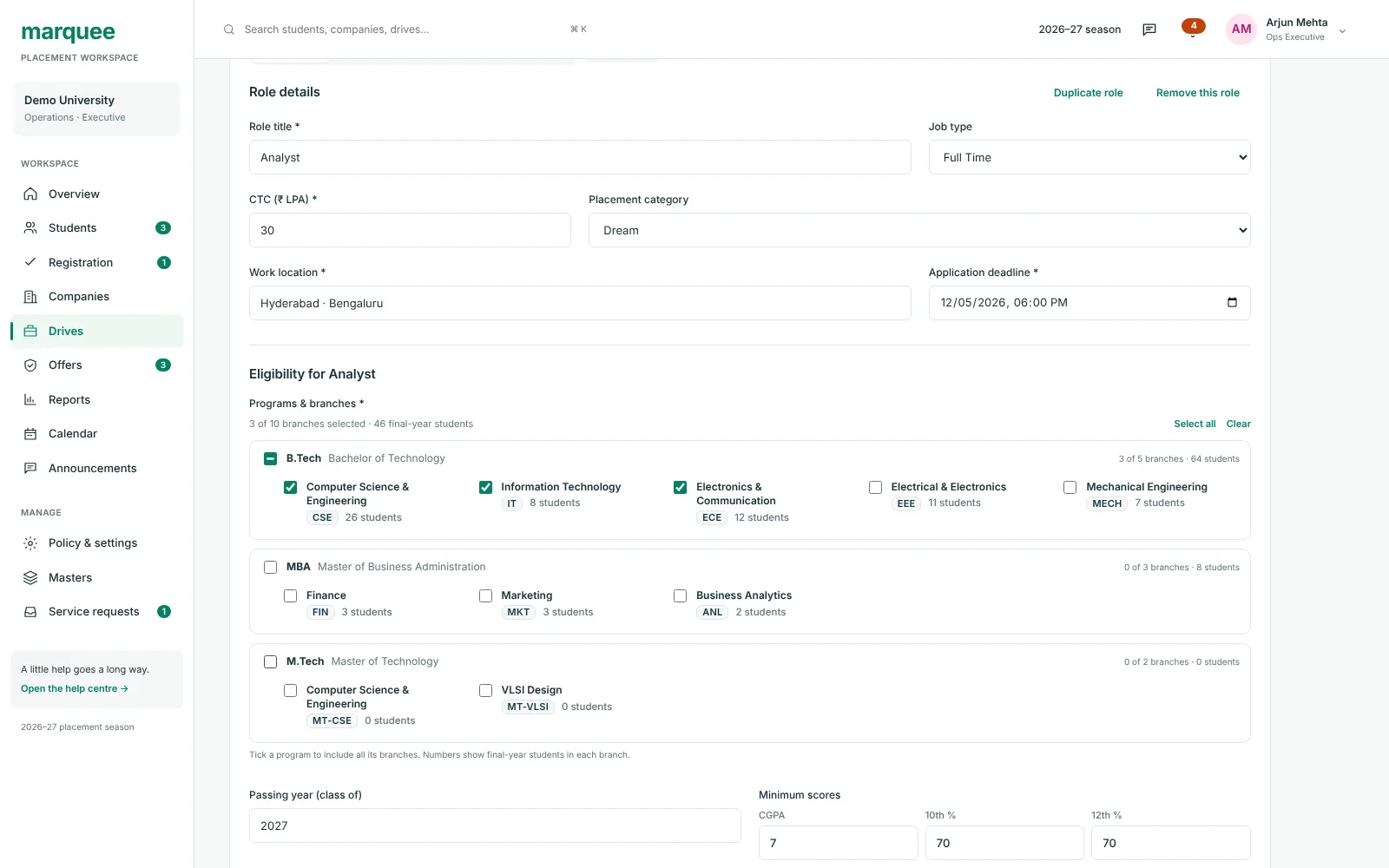
Program → branch eligibility that matches your masters
Program → branch selection
Tick a program to include all its branches, or pick branches individually, with live counts of final-year students.
Academic criteria
CGPA, 10th and 12th %, active and historical backlogs, education gap, diploma/lateral entry, UG % for PG programs.
Specific drives
Gender-specific drives and work-experience ranges where the company requires them.
Hiring stages you can reorder: even mid-drive
Stages come from your hiring-process templates. Drag a stage or use the arrows to change the order; on a live drive, rounds that applicants have already reached stay fixed.
- Required steps stay in the process
- Add a round mid-drive; applicants keep their progress
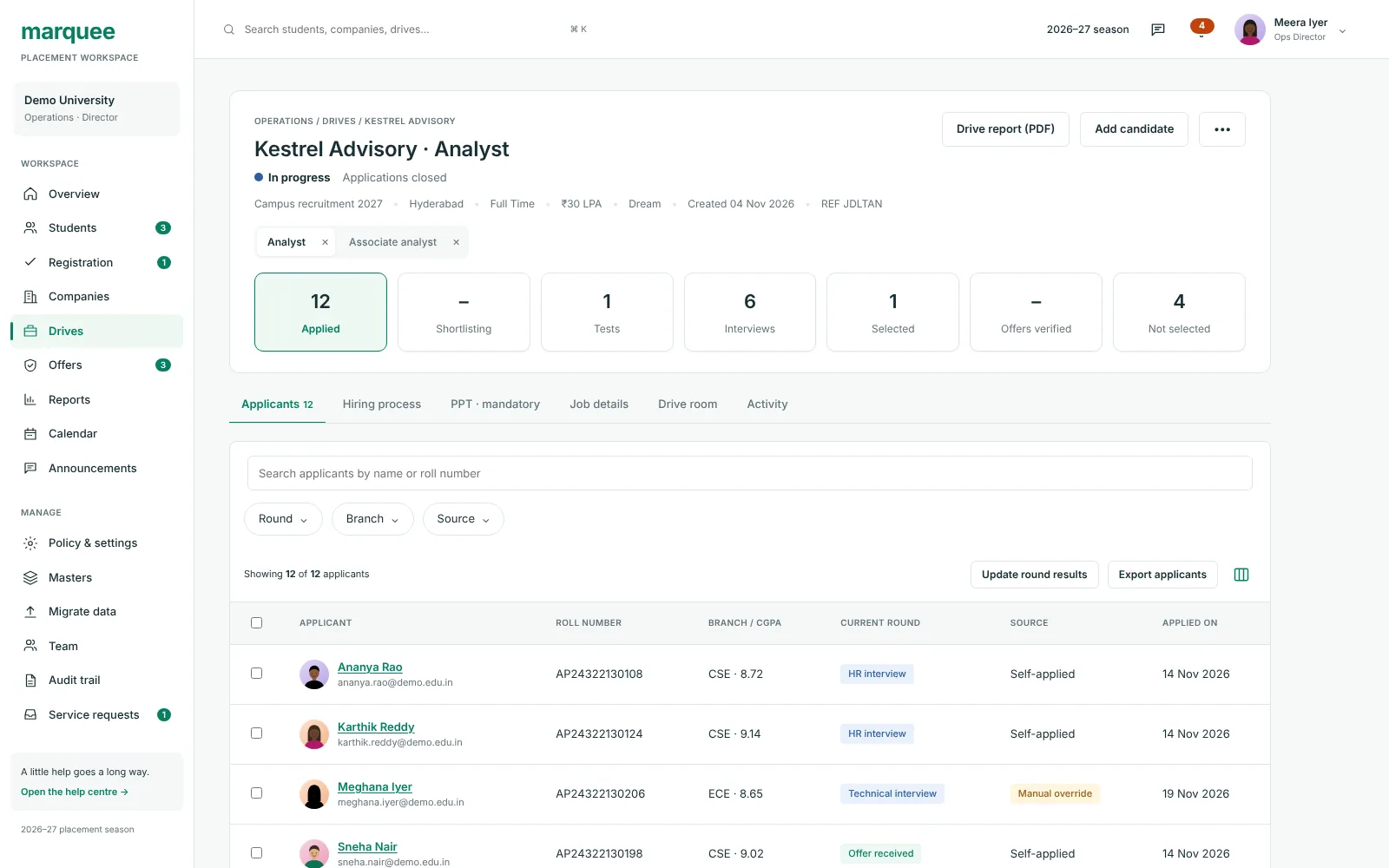
- Record results for a whole round at once
- A drive room for each company’s updates
Drives & eligibility: common questions
Does it read the JD automatically?
Roles and key fields are pre-filled from the JD and only high-confidence values are filled; everything else is highlighted for review. A full AI JD reader is on the roadmap.
Can we run pre-placement talks?
Yes. Schedule a PPT with venue or link, make attendance mandatory, mark attendance, and only attendees can apply.
Can we remove a role after publishing?
On a saved draft, ✕ removes the role. On a live drive, ✕ cancels the role and applicants are notified automatically.
Can one drive have several roles?
Yes. Add as many roles as the company offers, each with its own compensation, eligibility and hiring stages.
Do students get notified when they become eligible?
Yes. Eligible students are notified when a drive is published, with reminders before the deadline and before pre-placement talks.
Can recruiters set branch-wise criteria?
Yes. Pick programmes and branches from your own list and set academic cut-offs per role.
See your next placement season in Marquee
A 30-minute walkthrough with your placement data model, your policy and your reports, and a pilot plan you can take to your leadership.