Every student’s season, explained on one report
Heads of department, mentors, students and parents ask the same questions: which companies came, was the student eligible, did they apply, and how far did they get? The student placement report answers all of them, in your college’s brand.
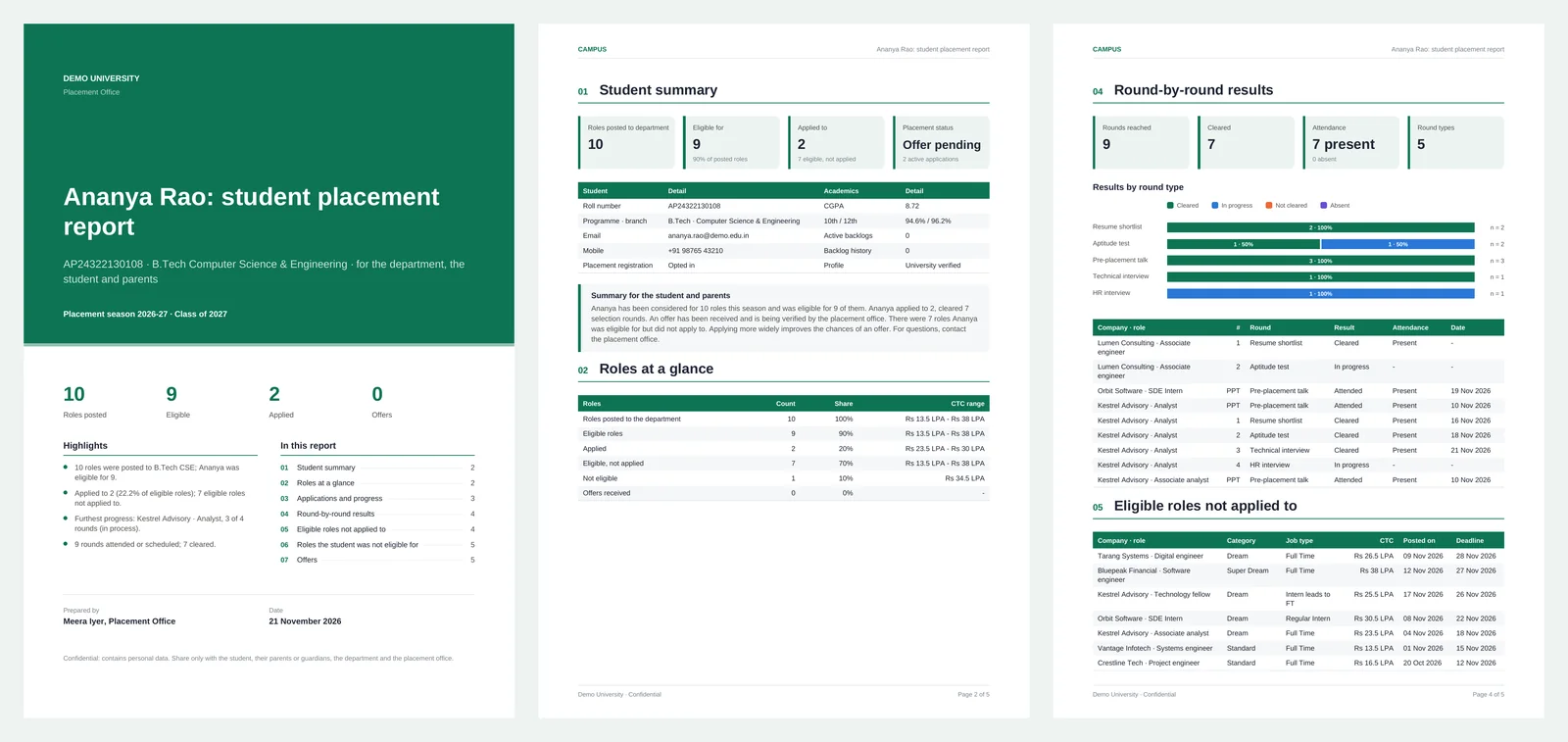
From every posted role to the final offer
Generated from the same records as every other report, so the numbers match the placement office’s dashboards.
Every role for the branch
Each drive posted to the student’s programme and branch, with company, role, category, CTC, posting date and deadline.
Eligibility, with reasons
Whether the student was eligible for each role, and when not, the exact reason in plain language.
How far they went
Rounds cleared in every process, the furthest round reached and the result, with attendance for each round.
Offers and joining
Offers received, verification status, the student’s response and the joining date.
A summary parents understand
A plain-language paragraph on the season so far, written from the same figures as the tables.
PDF and Excel
A branded PDF to share, and an Excel workbook with one sheet per section for analysis.
One report, three audiences
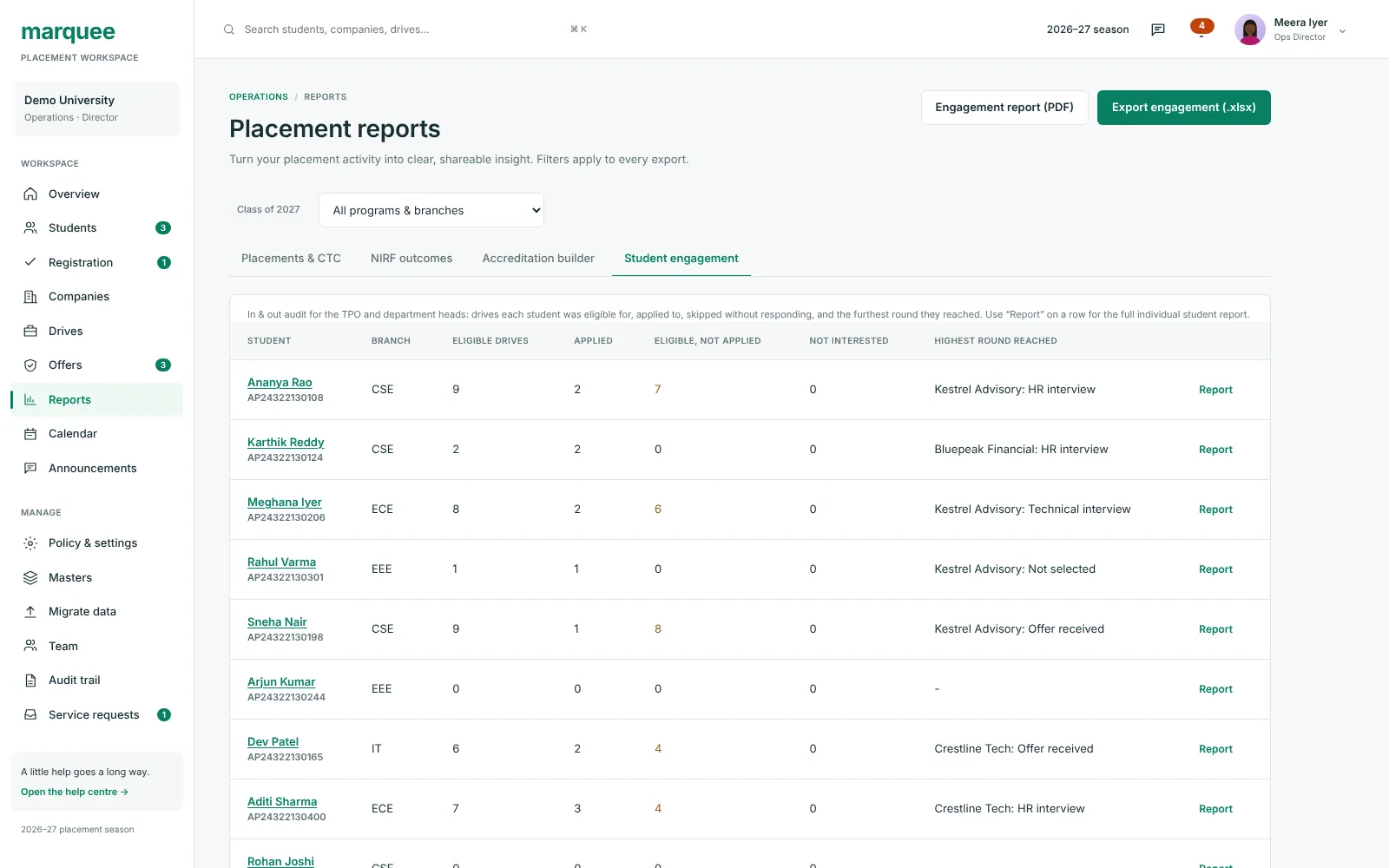
Download it from a student’s profile, or from any row of the student engagement report.
- Departments and HODs: review each student before mentoring meetings and department reviews
- Students: see where they stand and which eligible roles they missed
- Parents and guardians: a clear, factual account of the season, shared by the college
- Placement office: evidence for one-to-one follow-ups and grievance responses
Always current, never re-typed
Drives are posted
Each role records the programmes and branches it is open to.
Students apply
Applications, withdrawals and “not interested” choices are recorded as they happen.
Rounds are recorded
Results and attendance for every round update each student’s record.
Report on demand
One click produces the PDF and Excel with everything up to that moment.
Student placement report: common questions
Can parents see the report directly?
The college decides. The report is generated by the placement office or department and shared with students and parents as the college’s policy allows; it is marked confidential.
Does the report match the placement office’s numbers?
Yes. It is computed from the same records as the season, engagement and accreditation reports, so the figures agree.
Can we download reports for a whole class?
Today it is per student, from the student page or the engagement report. Batch downloads for a department are on the roadmap.
Which roles does it include?
Every published role open to the student’s programme and branch, plus any role the student was added to by the placement office.
See your next placement season in Marquee
A 30-minute walkthrough with your placement data model, your policy and your reports, and a pilot plan you can take to your leadership.